

How to Quiet Air Hockey Fan: 4 Simple Fixes for a Silent Table
Air hockey tables get loud for a few predictable reasons: a motor that’s running hot or misaligned, a blower housing that’s loose or rattling, a worn or dirty bearing, or a fan blade that has picked up debris. In most cases you can cut the noise substantially with a few inexpensive checks and some basic tightening, and you don’t need to replace the whole unit. This guide walks through diagnosing the source, the fixes that work for each one, and when it’s time to stop and call a technician.
Key Takeaways
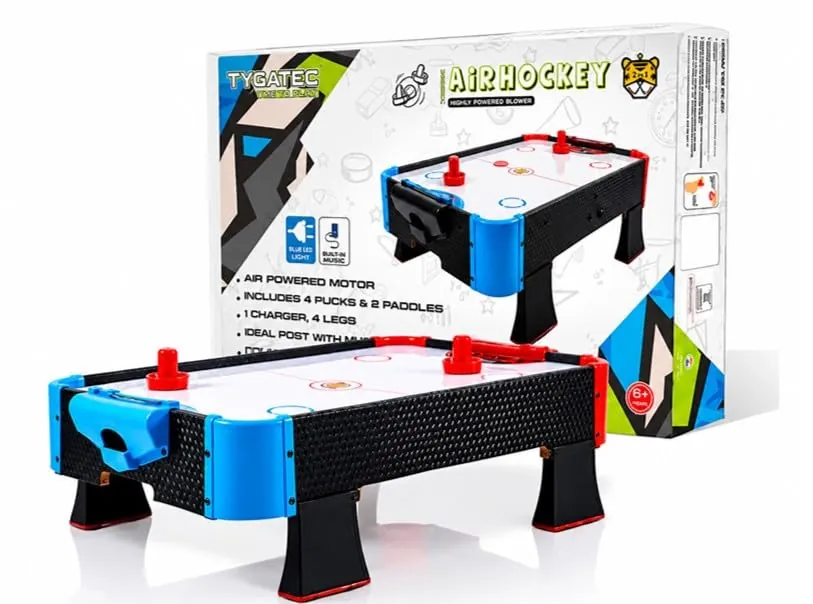
- Identify the noise type first. A high whine, a rattle, and a rhythmic thump each point to a different cause.
- Turn the table off and unplug it before opening the blower housing or touching the fan.
- Clean debris from the fan blade and intake grille, since blocked airflow makes the motor work harder and louder.
- Tighten loose screws and brackets on the blower housing and motor mount, which causes a large share of rattling.
- Replace worn bearings or a failed motor only when cleaning and tightening don’t solve the problem.
Start by Identifying the Type of Noise
Before you open anything, listen to the table while it runs and pay attention to the character of the sound. Each type of noise narrows the list of likely causes.
| Noise type | What it sounds like | Most likely cause |
|---|---|---|
| Steady high whine | Constant, pitched hum | Motor bearings or a dry motor |
| Rattle or buzz | Vibrating, metallic chatter | Loose screws, panels, or housing |
| Rhythmic thump | Regular beat that speeds with the fan | Unbalanced or bent fan blade |
| Rushing or whooshing | Air-moving roar | Restricted intake or debris in the blower |
| Grinding | Gritty, scraping sound | Worn bearing or debris in the motor |
If the noise changes when you press down on the table surface or on a particular panel, the problem is likely mechanical contact rather than the motor itself.
Safety Steps Before You Start
Warning: Always unplug the table before removing panels, the playing surface, or the blower cover. Air hockey tables use mains-powered blowers, and a fan can start unexpectedly if the table is switched on at the wall.
Work on a clear, flat floor. Keep track of every screw you remove by placing them in a labeled cup or a tray. Take a photo of the blower housing and wiring before disconnecting anything so you can reassemble it correctly.
Cleaning the Air Hockey Fan to Quiet Noise
Dust, lint, and small debris are one of the most common causes of louder operation. When the intake is partially blocked, the blower works against resistance, which raises both noise and motor strain.
Clear the Intake Grille
Look at the grille or vent on the blower housing. Remove any lint, hair, or dust with a vacuum brush attachment. Compressed air can help dislodge debris from the grille, though it should be used outdoors or in a space you can clean afterward.
Check the Fan Blade
Remove the blower cover to reach the fan. Spin the blade by hand (with power off) and watch for wobble, rubbing, or debris stuck to the blades. Wipe the blades clean with a dry cloth. Remove any buildup that can’t be wiped off gently.
Pro Tip: Blow out the blower housing and the space around the motor once a season. A quick clean often reduces noise more than any other single step.
Tighten Loose Parts and Brackets
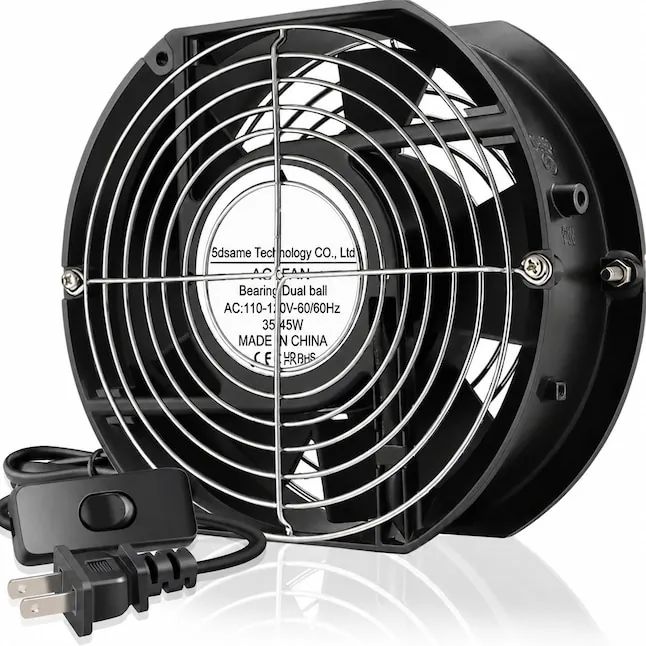
Rattling is frequently caused by hardware that has worked loose over time from vibration.
Check these areas:
- Blower housing screws, which hold the fan assembly to the table frame
- Motor mount bolts, which secure the motor to its bracket
- Playing surface panels and side rails, which can buzz against the frame
- Leg levelers and feet, which can cause the table to vibrate against the floor
Tighten each fastener by hand first, then snug it with a screwdriver or wrench. Overtightening can strip threads or crack plastic housings, so stop as soon as the part is firm and no longer moves.
Place a folded towel or a piece of thin foam between the table and the floor if the table rattles against the floor surface. Adjust the leg levelers so all four feet sit evenly.
Check the Fan Blade for Balance and Damage
An unbalanced blade produces a rhythmic thump that increases with fan speed. Inspect each blade for cracks, bends, or missing pieces. A bent blade often has to be replaced, because straightening it rarely restores balance.
Look also at the fan hub. If the blade is loose on the motor shaft, tighten the set screw or hub nut. A blade that wobbles even slightly will keep vibrating through the whole table.
Address Motor and Bearing Noise
Lubricate Accessible Bearings
Some motors have oil ports or sealed bearings that accept a light lubricant. Check your owner’s manual or the motor label for the specification before adding anything. Use only the lubricant the manufacturer recommends, since the wrong product can attract dust or damage the bearing.
Warning: Don’t spray general-purpose lubricants or penetrating oils into the motor. These can migrate onto windings and cause electrical problems.
When to Replace the Motor or Bearing
If the motor makes a grinding sound, runs unusually hot, or has lost power, the bearings or windings may be failing. A worn bearing usually produces a steady grind or whine that doesn’t improve after cleaning. Replacement motors and bearings are sold through appliance parts suppliers and through the table manufacturer, so have the model number ready before ordering.
Pay attention to heat as well as sound. A motor that’s hot to the touch after normal use needs attention even if it’s quiet.
Reduce Vibration Transfer
Even a quiet fan can sound loud if its vibration travels through the table frame and floor. Several small changes can reduce this:
- Place the table on a rug or a rubber mat to absorb vibration.
- Set the table away from walls, which can amplify sound.
- Use rubber pads under the blower housing if it sits directly on the frame.
- Keep the table on a level surface so no part is under stress.
These steps don’t reduce the fan’s own noise, but they often make the table feel and sound noticeably calmer in a room.
Know When to Call a Professional
Stop and seek help from a qualified technician or the manufacturer if you notice any of the following:
- Burning smell or visible scorching on wires or the motor
- Sparks, flickering lights, or a tripped breaker when the table runs
- A motor that continues to grind or overheat after cleaning and tightening
- Cracked or damaged electrical connections
- Any repair that requires cutting, splicing, or rewiring
Mains-powered equipment carries a real electrical risk. Don’t attempt repairs beyond cleaning, tightening, and simple part swaps if you aren’t comfortable working with wiring. A technician can test the motor and electrical system safely and tell you whether repair or replacement makes more sense.
Frequently Asked Questions
Is it normal for an air hockey table fan to be loud?
Some sound is expected, because the blower moves a lot of air to float the puck. However, a fan that’s clearly louder than it was when new, or that rattles or grinds, usually has a fixable problem such as debris, loose hardware, or worn parts.
How often should I clean the blower?
A light cleaning of the intake and fan blade every few months is a reasonable starting point, and a deeper cleaning once a year suits most homes. Tables used daily or in dusty rooms may need attention more often.
Can I make the table quieter by running it at a lower speed?
Some tables have a speed or power setting, and lowering it can reduce noise, but it also reduces puck float and play quality. If your table has no adjustment, it’s better to address the source of the noise than to modify the electrical system.
Will adding padding under the table stop the fan noise?
Padding helps with vibration transferred through the floor, but it doesn’t reduce noise coming from inside the blower or motor. Use padding alongside the mechanical fixes above rather than as a standalone solution.
Should I replace the whole fan if it’s noisy?
Not usually. Cleaning, tightening, and balancing often solve the problem, and a replacement blower or motor is typically far cheaper than a new table. Replace the whole unit only if the motor or housing is severely damaged or the cost of parts approaches the price of a new table.
Conclusion
Start with the cheapest fix: unplug the table, clear the intake, and tighten every visible screw. Listen again after each step so you know which change made the difference, and keep notes so you can spot the pattern if the noise returns.
About the Author Eric Glenn
I launched this blog to provide advanced material, guiding you towards a better and more comfortable gaming tools experience. I deliver more than gaming gear guides, and motivate people to play games and keep the fitness forever!

