
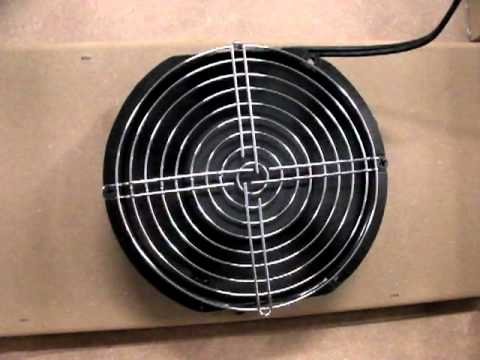
How to Fix Air Hockey Blower Issues With These Simple Steps
Air hockey tables depend on a steady stream of air coming up through the playing surface. When the blower slows down, sputters, overheats, or stops, the puck stops floating and the game falls apart. The good news is that most blower problems come from a short list of causes: a clogged or dirty intake, a loose or worn connection, a failed switch, a stuck motor, or a damaged fan. Many of these can be fixed in under an hour with basic tools.
Key Takeaways
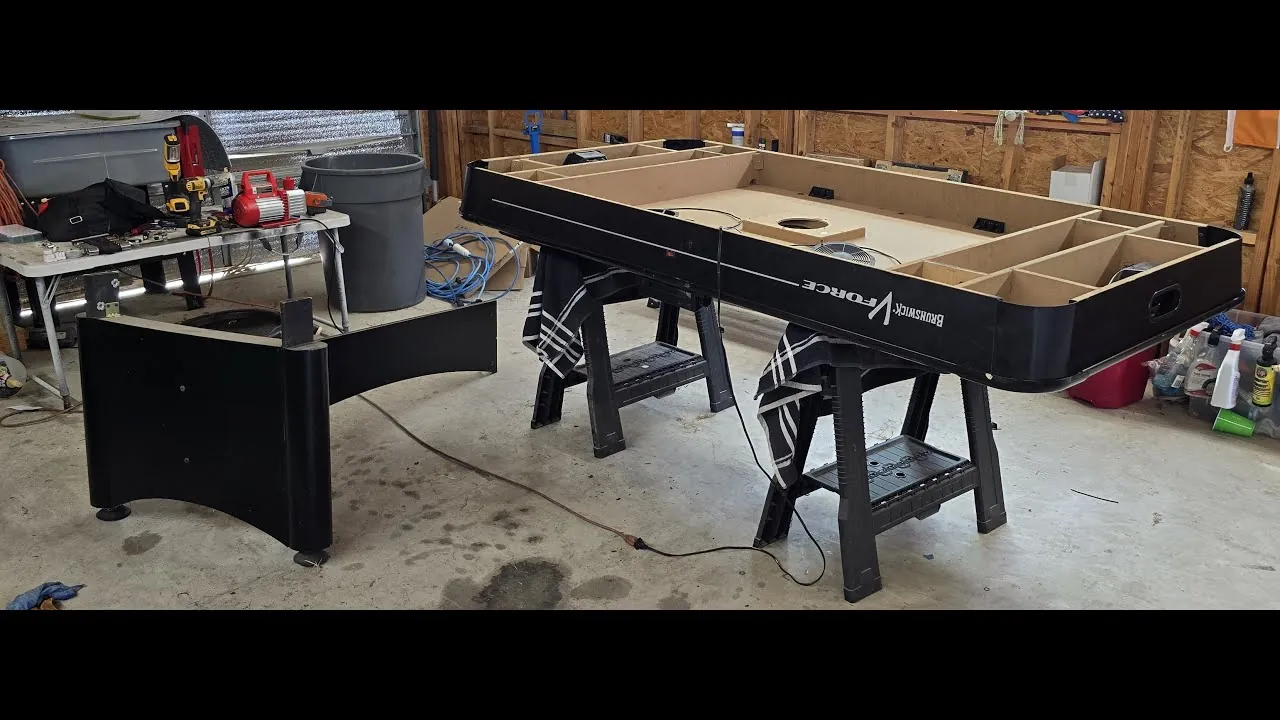
- Unplug the table before opening the blower housing or touching any wiring.
- Most weak airflow comes from a clogged intake screen or a dirty fan, not from a dead motor.
- A blower that hums but doesn’t spin usually has a jammed fan blade or a failing capacitor.
- A blower that doesn’t respond at all often has a bad power switch, a broken cord, or a blown fuse.
- Replacing a whole blower is often cheaper than repairing a worn motor, so check the cost before you start.
Know What Kind of Problem You Have
Before you take anything apart, observe how the blower behaves. The symptom tells you where to look.
| Symptom | Most likely cause | Where to start |
|---|---|---|
| Blower doesn’t turn on at all | Power switch, cord, or fuse | Check power and switch |
| Blower hums but the fan doesn’t spin | Jammed fan or failed capacitor | Inspect the fan blades |
| Blower runs but airflow is weak | Clogged intake or dirty fan | Clean the intake and fan |
| Blower runs loud or rattles | Loose fan or debris inside | Tighten mounts, remove debris |
| Blower gets very hot or shuts off | Overheating motor or blocked vents | Clear vents and check the motor |
| Pucks stick in some spots only | Clogged table holes or a bad seal | Inspect the playing surface |
Safety Before You Start
Warning: Always unplug the table from the wall before you open the blower housing or touch any wire. Blowers hold their shape, but a unit that was just running can still be warm, and a capacitor can hold a charge even after the cord is out.
Work on a clean, dry surface and keep the table stable so it can’t tip. If you smell burning or see scorched insulation, stop and don’t reconnect power until a technician has inspected the wiring.
Check the Power Supply First
Many blower “failures” are simply a problem with power. Start here because these checks take minutes.
- Outlet: Plug a lamp or phone charger into the same outlet to confirm it works.
- Power cord: Look along the full length for cuts, cracks, or places where the cord has been pinched. Wiggle the plug at the table end and the wall end while watching for flicker.
- Power switch: Many tables have a rocker or toggle switch on the cabinet. Press it firmly several times, since oxidized contacts can fail to connect.
- Fuse: Some units have an inline or board-mounted fuse. A blown fuse often has a dark or cloudy window. Replace it with one of the same rating printed on the old fuse, never a higher one.
Pro Tip: If the blower works when you jiggle the switch or cord, the connection is loose. Replacing the switch or the cord end is usually a quick fix and far cheaper than a new blower.
Clean the Intake and Fan
Dust, hair, and small debris are the most common reasons a blower loses power over time. The intake screen sits where air is pulled in, and it clogs slowly, so airflow fades without any obvious failure.
Clean the Intake Screen
- Unplug the table and locate the intake, usually a grille or screen on the blower housing.
- Remove any loose debris with a soft brush or a vacuum with a brush attachment.
- If the screen is still blocked, wipe it with a dry cloth. Avoid soaking it or using liquids near electrical parts.
Clean the Fan Blades
- Remove the blower housing cover following the table’s manual, usually a few screws.
- Use a vacuum to remove dust and lint from the fan blades and the inside of the housing.
- Turn the fan by hand to check for rubbing or catching. Remove anything caught between the blades and the housing.
- Reassemble and test. A good cleaning often restores the airflow the table had when new.
How to fix an air hockey blower that hums
A humming blower with a still fan means the motor is receiving power but can’t turn the blades. The two most common causes are a physical obstruction and a failing start capacitor.
Check for a Jam
With the table unplugged, turn the fan by hand. If it’s stiff or stops, look for a foreign object, a bent blade, or a loose set screw on the hub. Remove the obstruction and try again.
Check the Capacitor
Many blower motors use a run or start capacitor, a cylindrical component wired near the motor. A bulging top, leaking residue, or a burnt smell all point to a failed capacitor. Replace it with one matching the voltage and microfarad rating printed on the old part. If you can’t read the rating, take the old part to an electrical supply store before buying a replacement.
Warning: Capacitors can store a dangerous charge. Discharge it with an insulated tool across the terminals before handling, or leave the work to a qualified repair shop.
When the Motor Is the Problem
If the fan is clean, unobstructed, and the capacitor tests fine, the motor itself may be worn or failed. Signs include a burning smell, a grinding noise, intermittent operation, or a motor that’s hot to the touch long after the table is off.
Motor repair is rarely worth the effort for a typical home table. A replacement blower is usually sold as a complete unit, and the cost often falls between a modest repair bill and a new table. Compare the price of a new blower with the cost of parts and any shop labor before you decide.
Check the Table Surface and Holes
Sometimes the blower works perfectly but the table doesn’t hold air. The air must reach the playing surface through many small holes, and if they’re blocked, the puck will drag no matter how strong the blower is.
- Inspect the playing surface for dust or debris in the holes.
- Clean the holes gently with a soft brush or a compressed-air can used in short bursts.
- Check that the gasket or seal between the blower and the playing surface is intact and not cracked.
- Make sure the surface is level. An uneven table can cause pucks to slide to one side.
Pro Tip: Wipe the playing surface with a damp cloth and let it dry fully before testing. Wet surfaces can cause the puck to stick and can damage the table over time.
Decide: Repair or Replace?
| Situation | Usual best choice |
|---|---|
| Dirty intake or fan | Clean it yourself |
| Loose switch or cord end | Repair or replace the part |
| Failed capacitor | Replace the capacitor |
| Worn or burnt motor | Compare blower replacement cost |
| Cracked housing or damaged table | Consider full table replacement |
If the table is old and the blower is failing, a replacement blower or the manufacturer’s service may not make financial sense. Weigh the repair cost against what a comparable table would cost.
Frequently Asked Questions
Why does my air hockey blower run but the puck barely moves?
Weak airflow is usually caused by a clogged intake, a dirty fan, or blocked holes in the playing surface. Clean the intake screen, clean the fan, and inspect the surface holes before assuming the blower itself has failed.
Can I fix an air hockey blower that won’t turn on?
Often, yes. Check the outlet, cord, power switch, and any fuse first. A loose connection or a blown fuse is common and inexpensive to fix. If those are fine, the motor or internal wiring may need professional attention.
Is it safe to open the blower myself?
It can be, if you unplug the table first and handle any capacitor carefully. Don’t open the unit if you see burning, scorching, or exposed live wiring. In those cases, have a qualified technician inspect it.
How often should I clean the blower?
Check the intake every few months, or more often in dusty rooms or homes with pets. Regular cleaning prevents most airflow loss and extends the life of the motor.
What if the blower overheats and shuts off?
Overheating usually means blocked vents, a dirty fan, or a motor working too hard. Let the unit cool, clear the vents and intake, and make sure nothing is covering the cabinet openings. If it keeps overheating after cleaning, the motor may need replacing.
Conclusion
Start with the simplest check: unplug the table, clean the intake and fan, and test again. That single step fixes more blower problems than any other, and it costs nothing.
About the Author Eric Glenn
I launched this blog to provide advanced material, guiding you towards a better and more comfortable gaming tools experience. I deliver more than gaming gear guides, and motivate people to play games and keep the fitness forever!

